

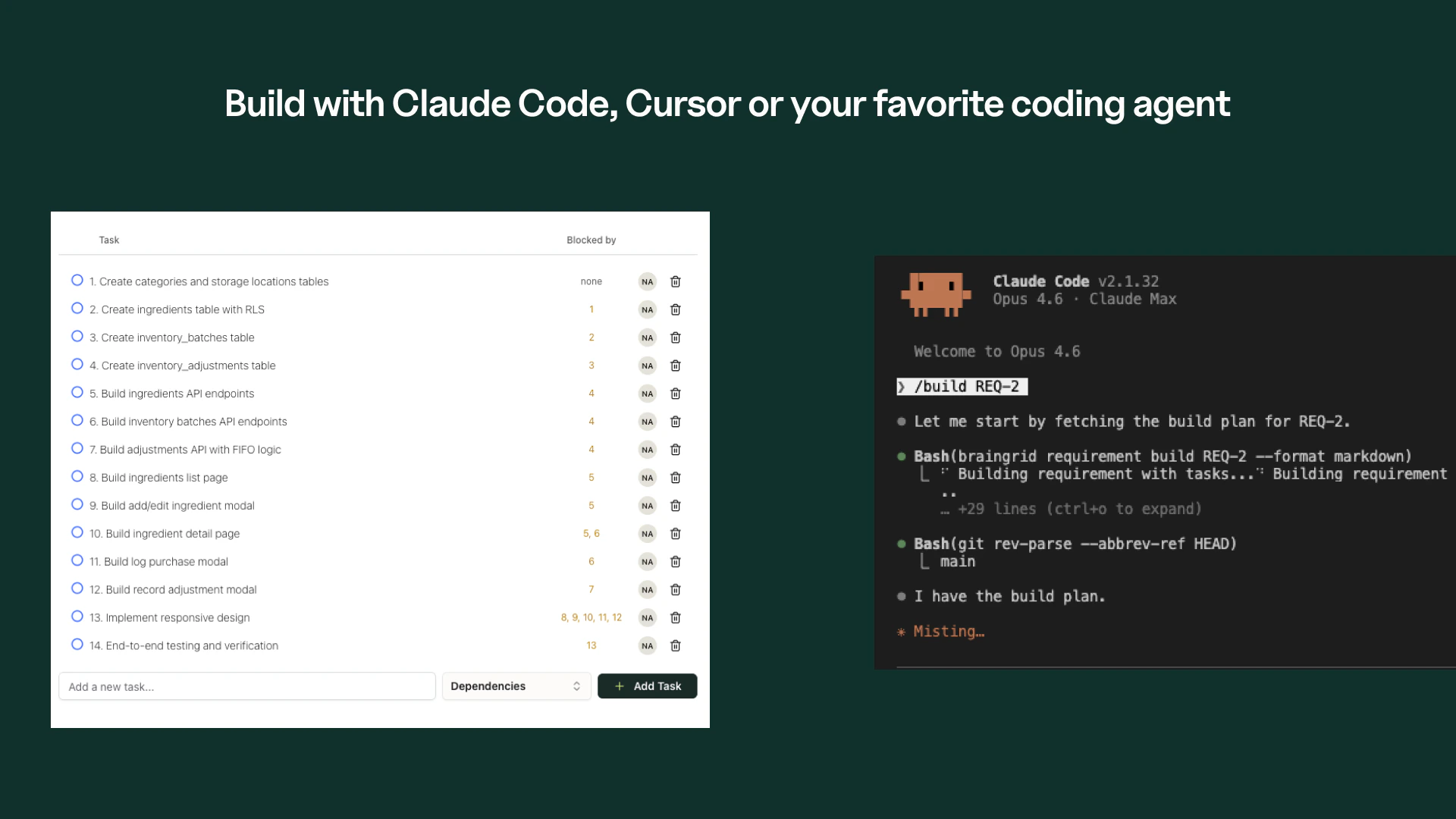
New Build experience — Coding agents can now build entire requirements, so we replaced the Tasks tab with a new Build workflow. Choose your agent (Claude Code, Cursor, MCP, or copy-paste), paste one command, and go. Agents create tasks in BrainGrid as they work — serving as a record of what happened so you can resume builds without losing progress. Build and Plan tabs are now bookmarkable via 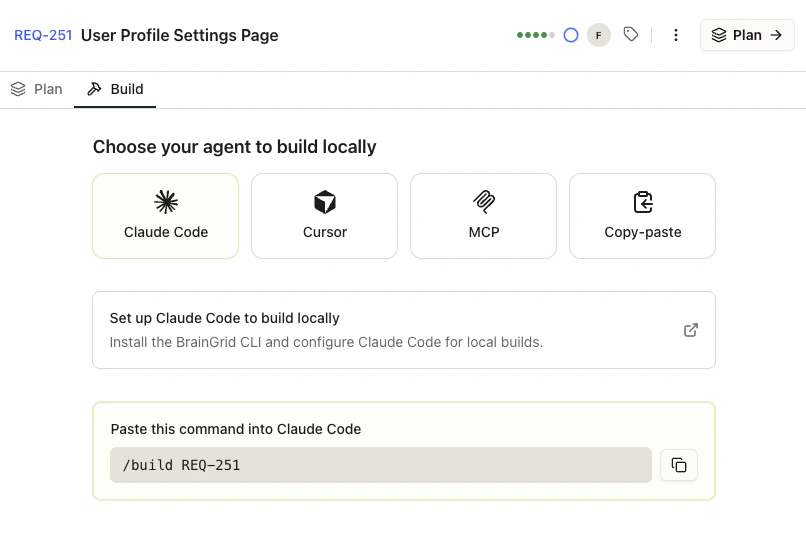
?tab=build and ?tab=plan.New Features
Base Branch Setting - Configure which branch new requirement branches are based on. Set it once in Project Settings → Advanced, and every new branch starts from the right place. The setting shows your repository’s default branch automatically when no custom branch has been saved.Improvements
- Cleaner credit display - Organization and total credit balances now show a single number (e.g., “99,018”) instead of a redundant fraction (“99,018 / 99,018”).
Fixes
- Completed requirement badge - Requirements already marked as completed no longer show a misleading “In Review” pill in the build tab.
- Agent input overflow - Long repository names in the agent pane are now truncated with ellipsis instead of breaking the layout when resizing.
- Branch creation conflicts - Creating a branch that already exists now returns a clear 409 conflict instead of a 500 server error.
Designs
Create visual designs from a prompt, tied to your requirements. See what you are building before you build it.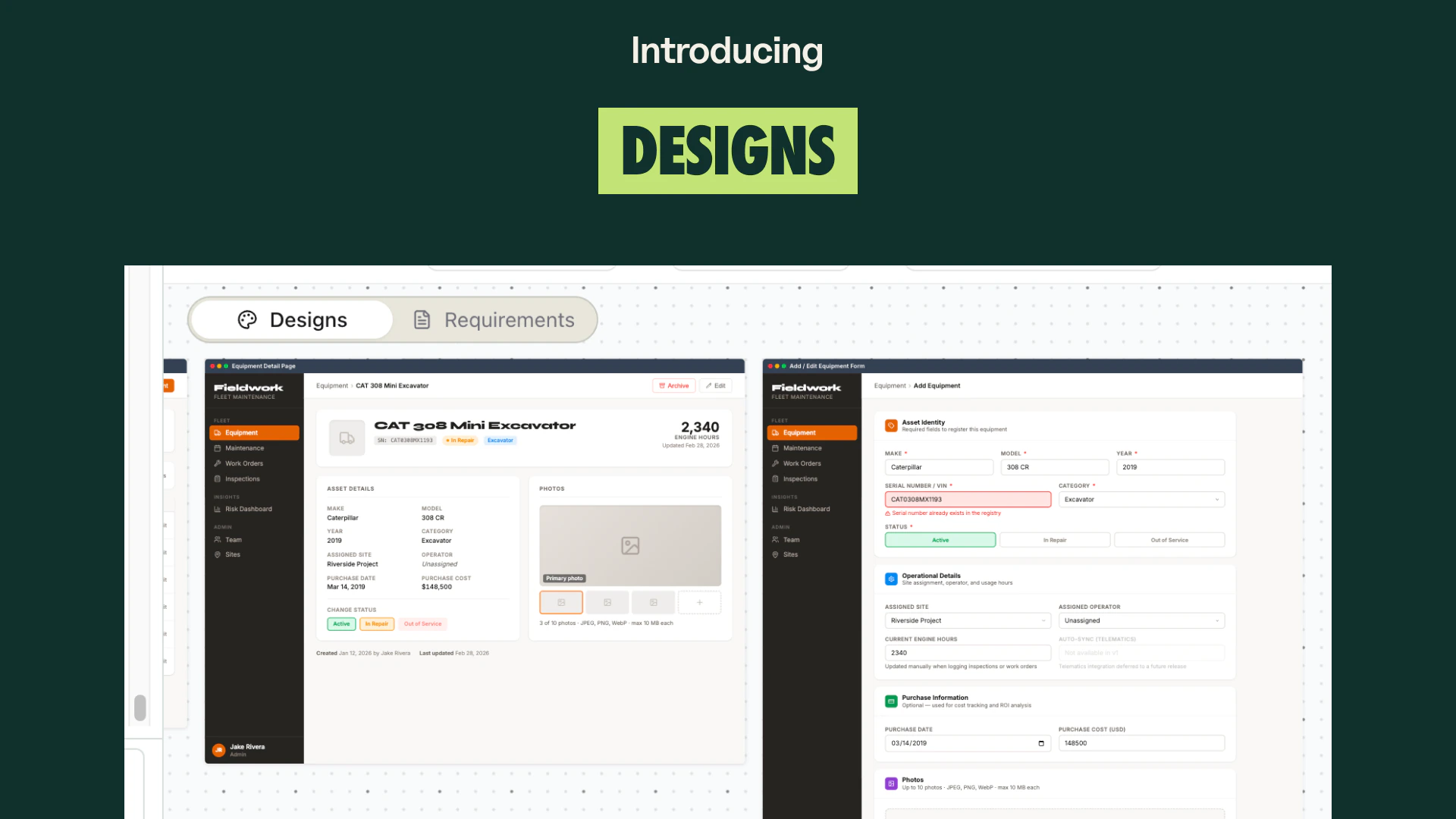
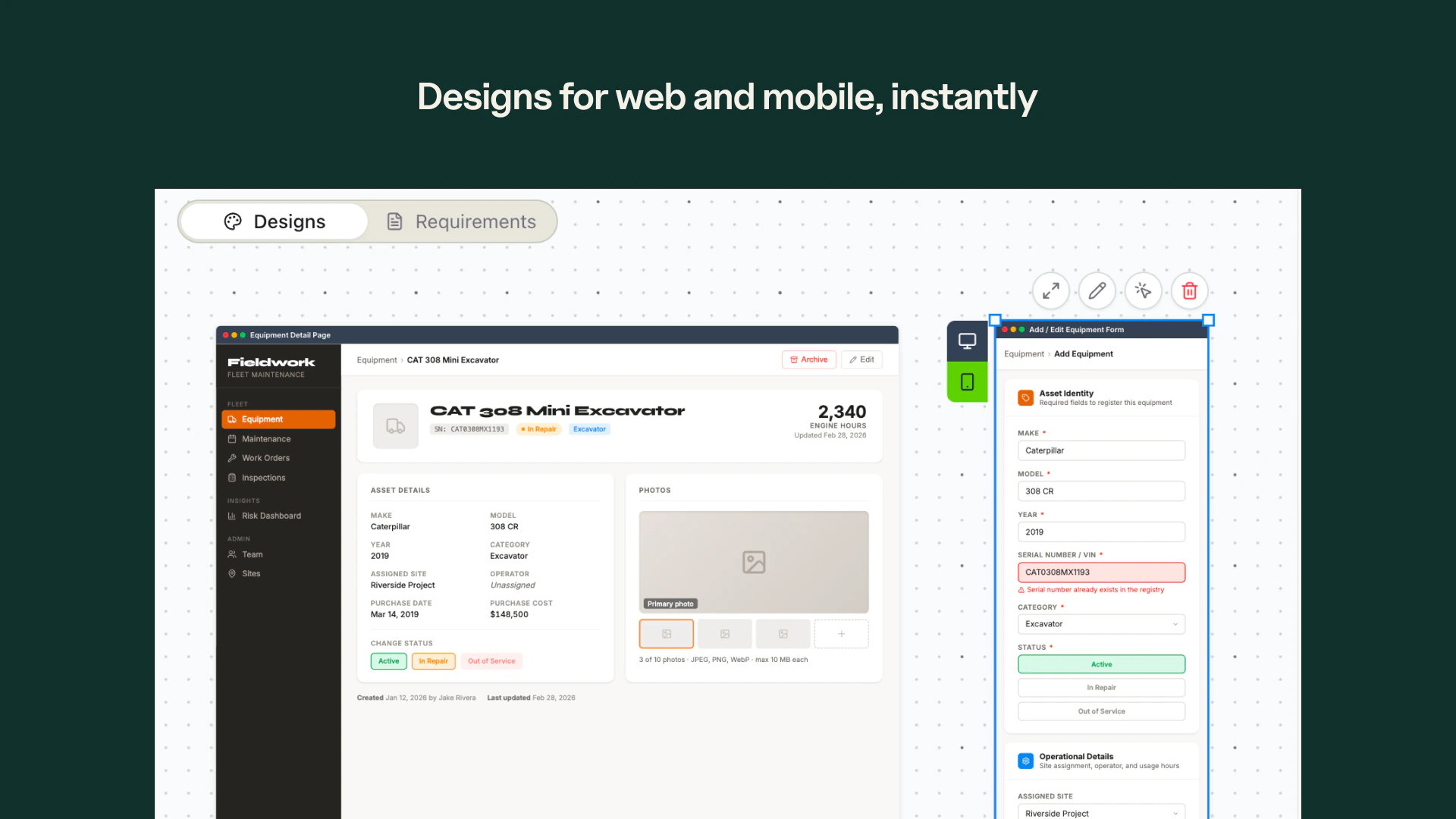
Desktop and Mobile Views - Switch between desktop and mobile boards to see your designs at every screen size before writing code.
Chat-Based Iteration - Talk to the design agent to iterate on your designs. Try different directions, refine layouts, and get it right through conversation.
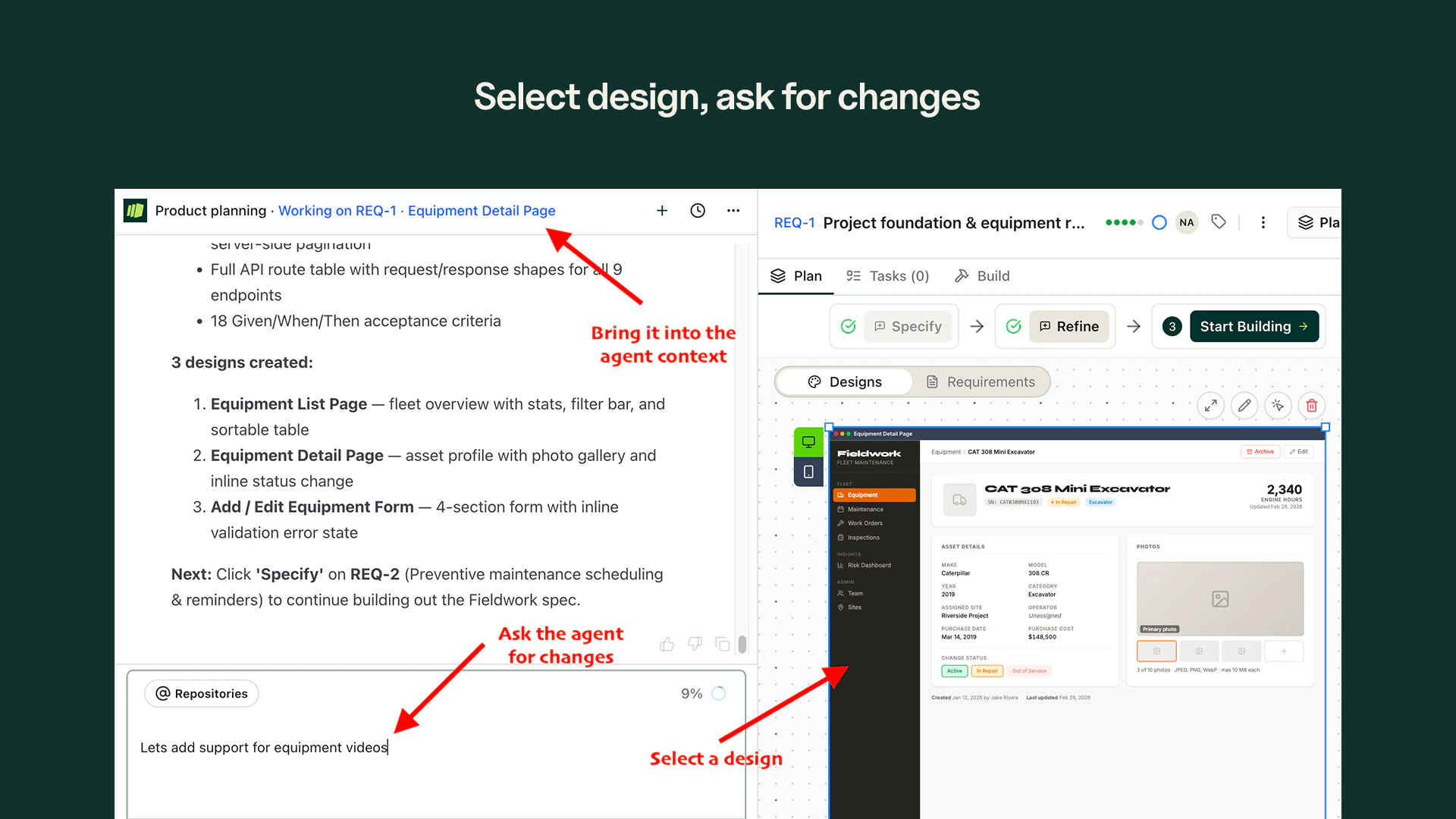
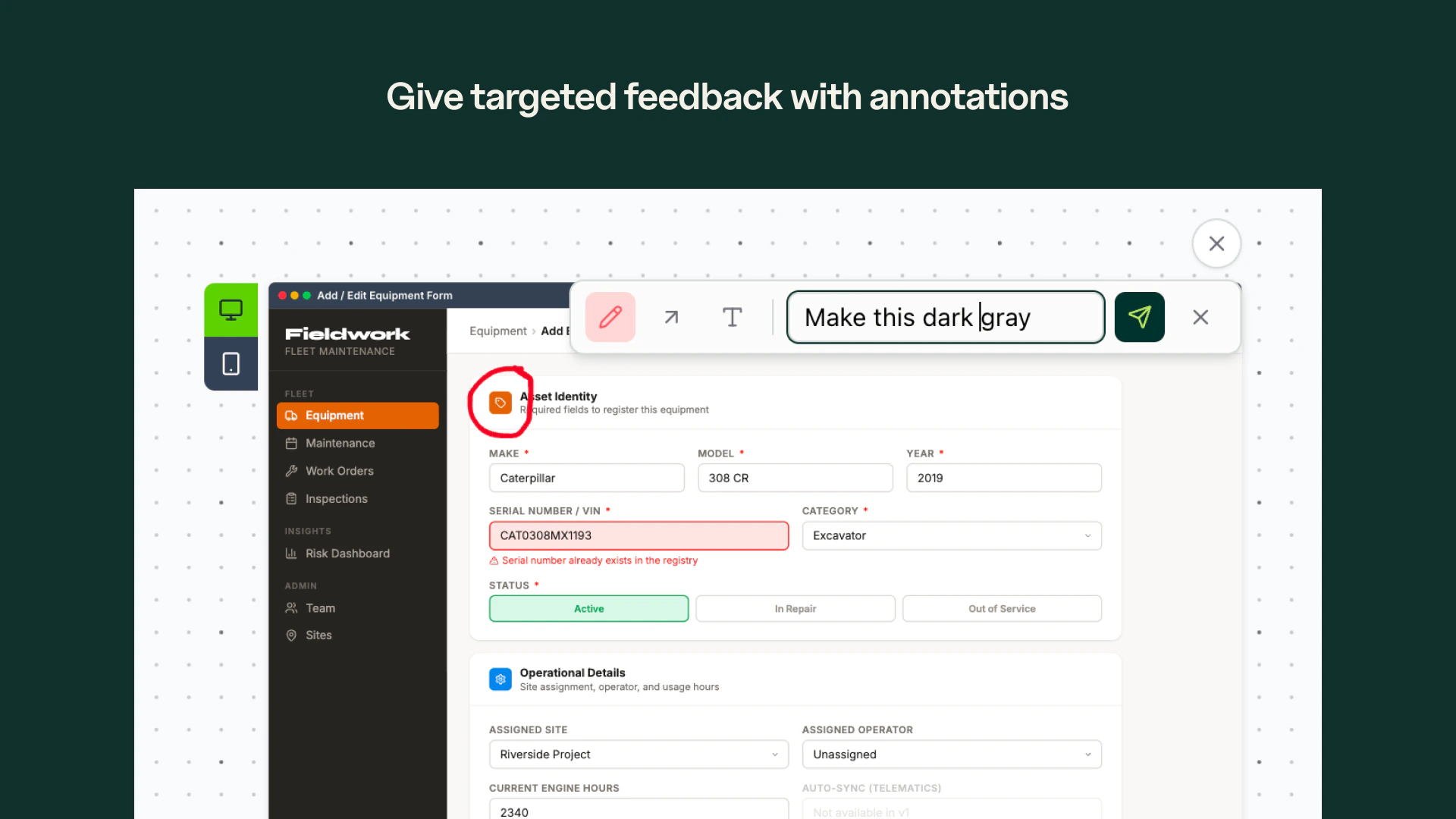
Annotations - Select parts of the design you want to change. Draw annotations and highlight elements — the agent sees exactly what you mean.
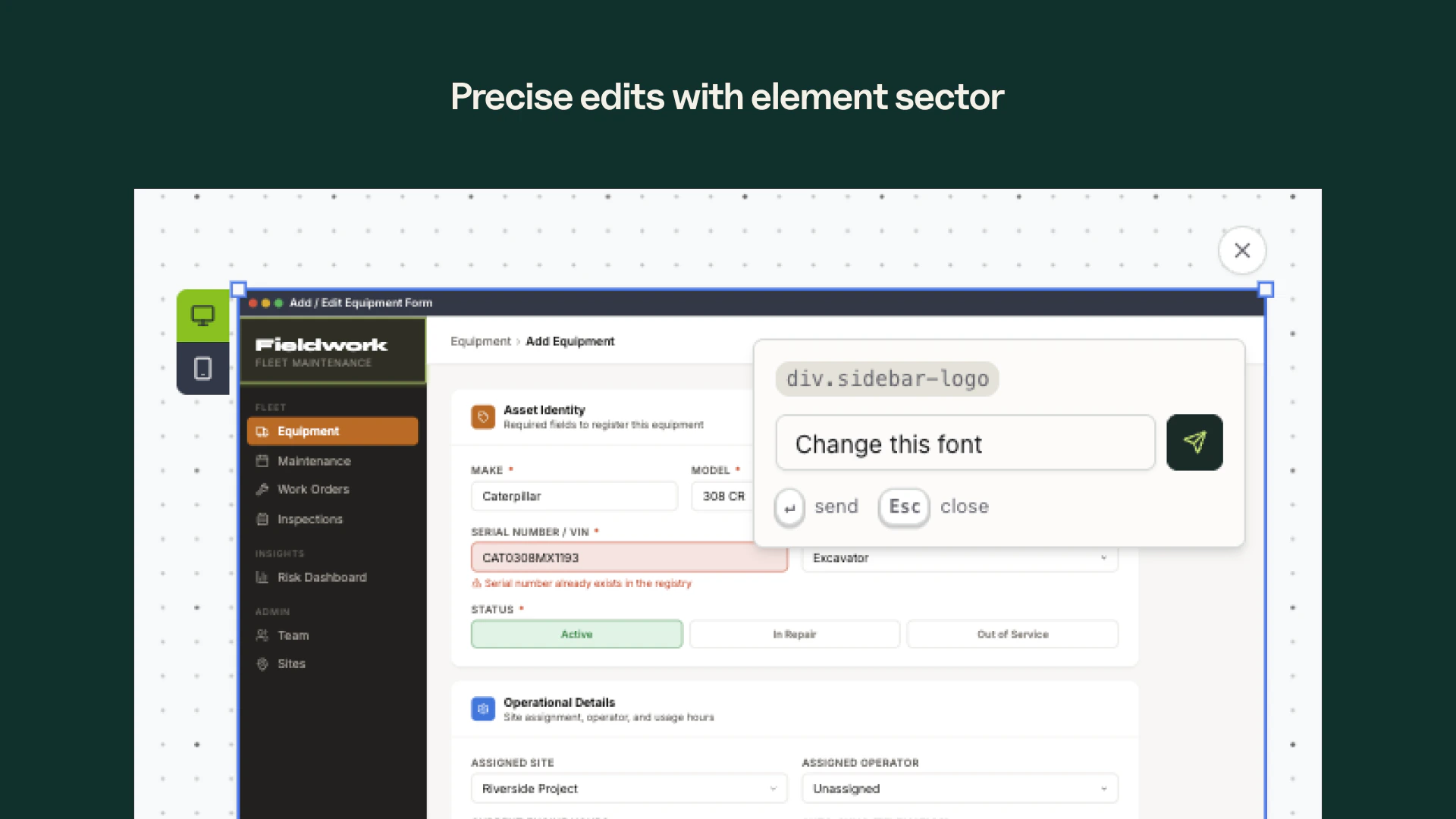
Element Selection - Pick individual components from your design and send them to the agent for precise, targeted changes.
AI Product Planner Agent
Structure your ideas before you build. Turn scattered thinking into organized epics and requirements that AI coding tools can execute reliably.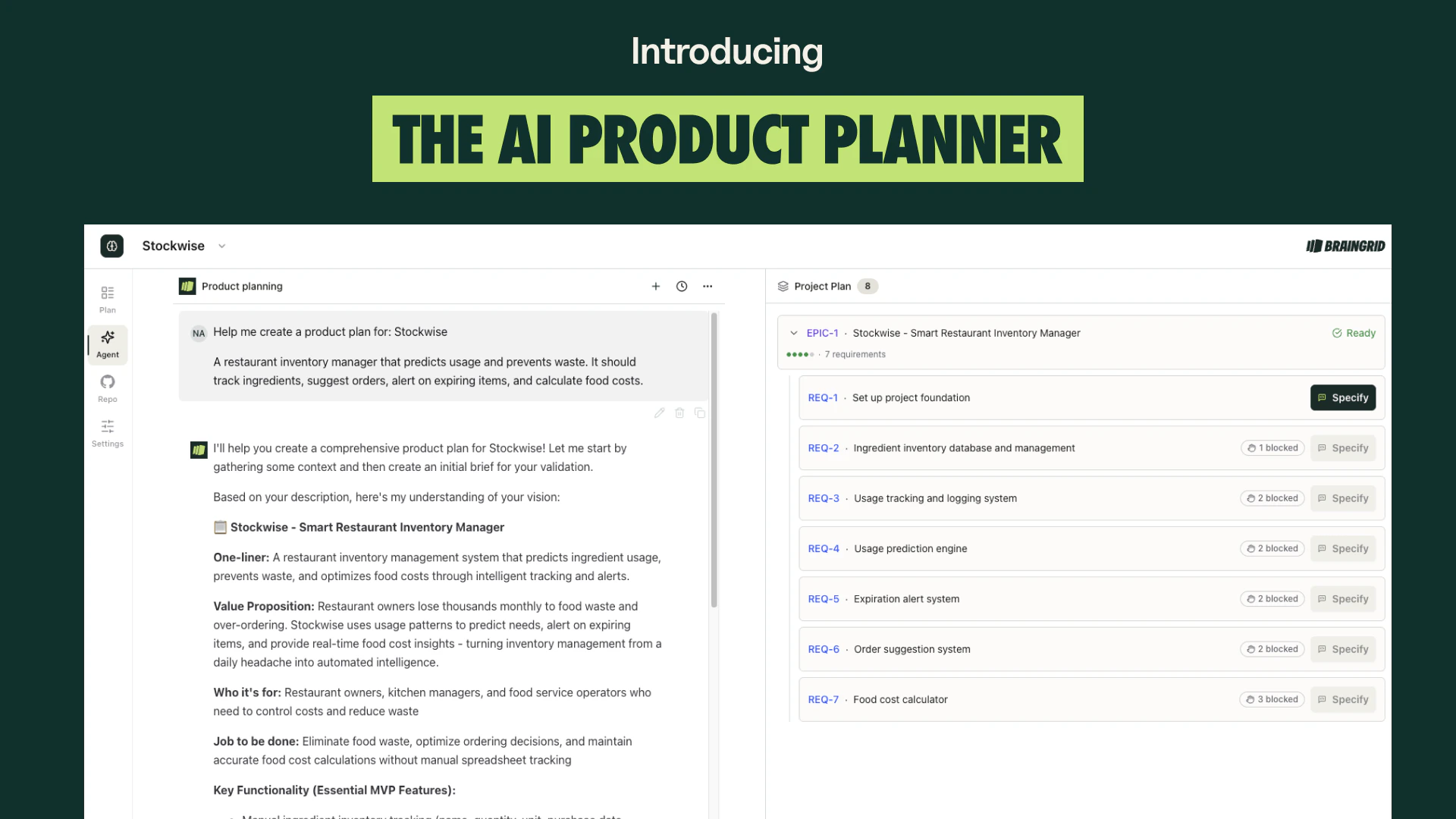
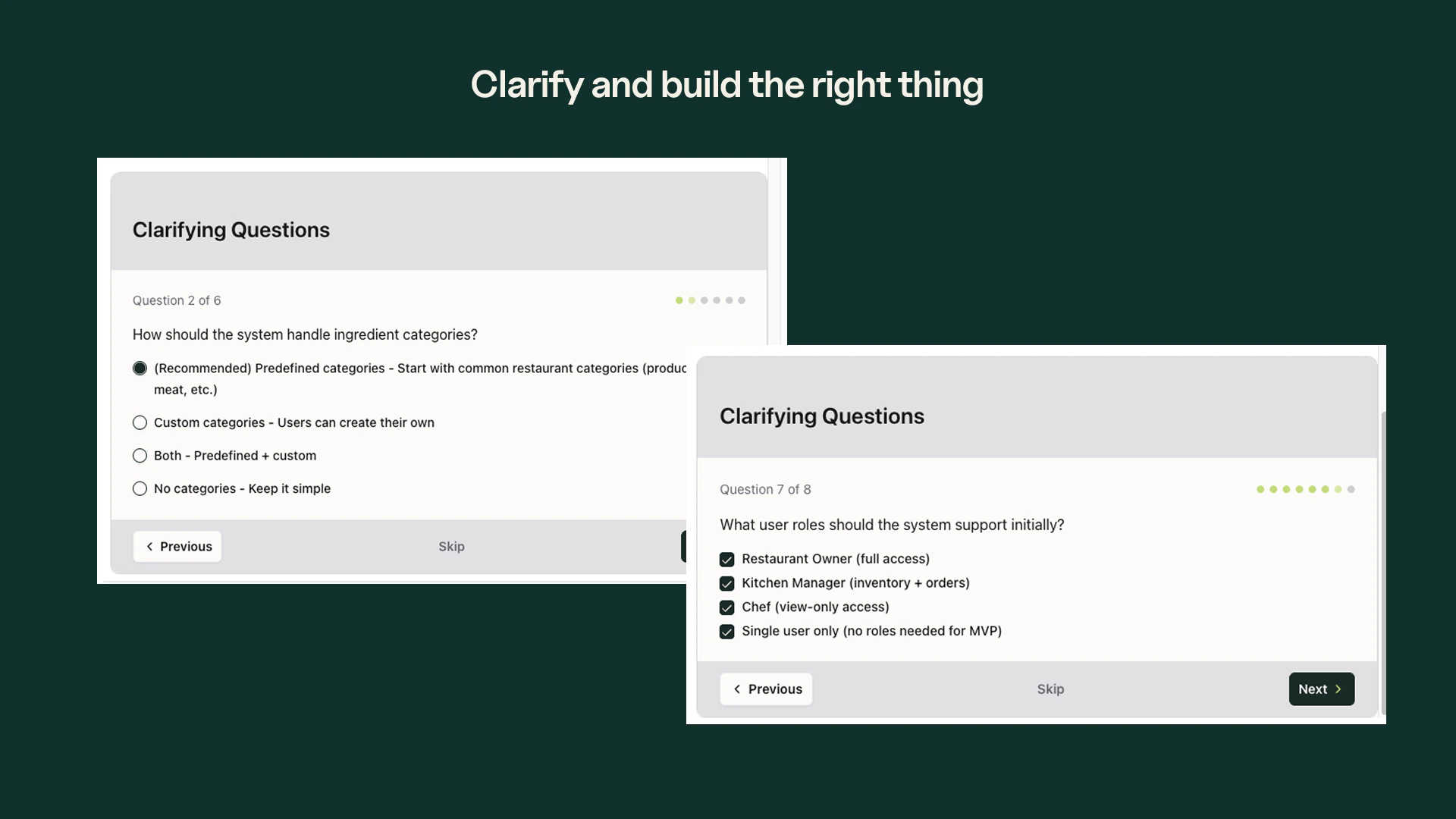
AI-Guided Specification - A planning agent asks clarifying questions to refine vague ideas into buildable requirements. Covers scope, edge cases, constraints, and acceptance criteria.
Readiness Scoring - Each requirement receives an AI-evaluated score from 1 to 5. Know what is ready to build and what still needs work before handing off to your coding agent.
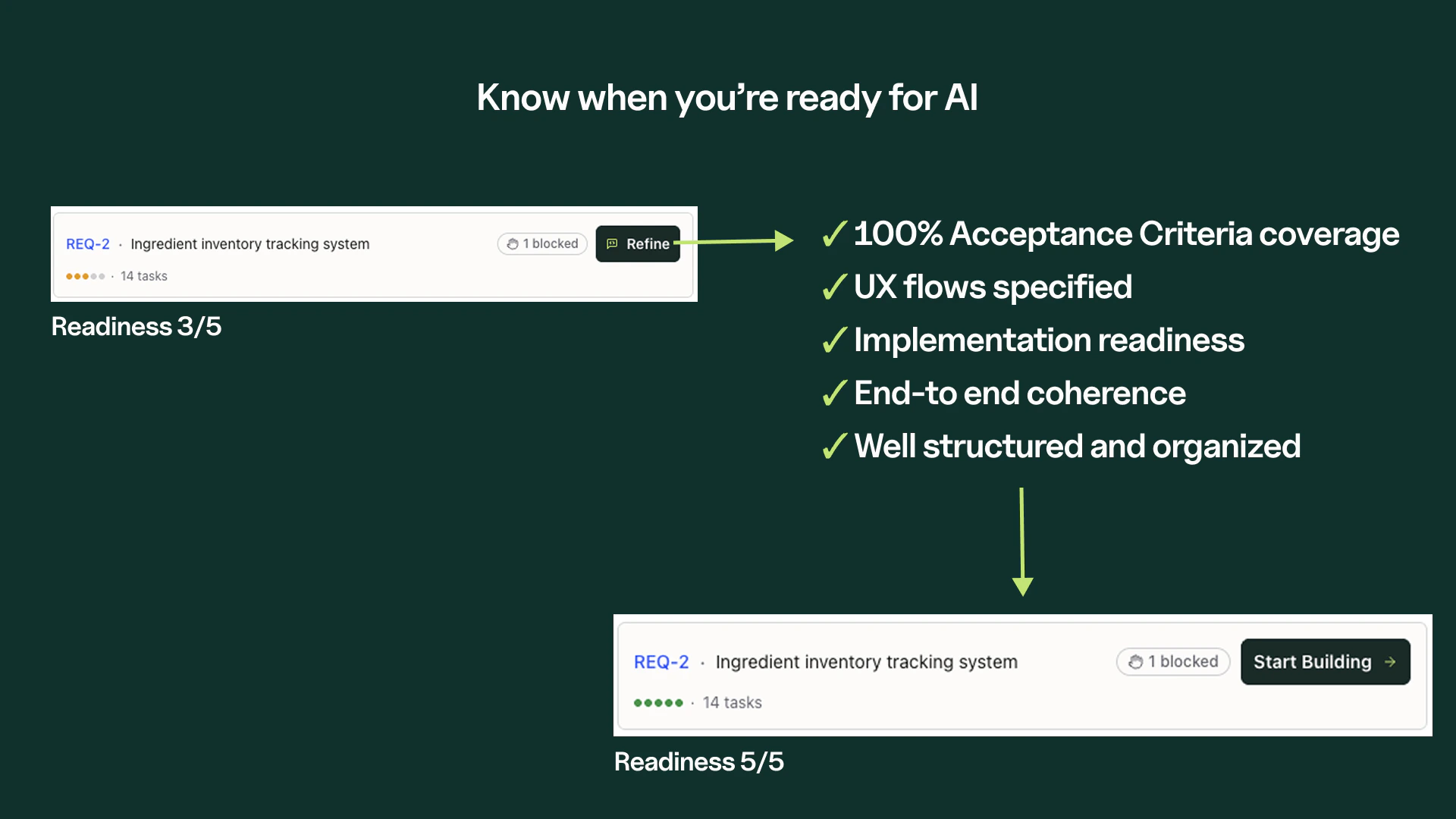
Dependency Management - See what is blocked and what is blocking it. AI Product Planner sets dependencies automatically so you build in the right order.
Coding Agent Handoff - Send structured tasks to Claude Code, Cursor, or your favorite coding agent via MCP, CLI, or copy-paste. Each task includes all the context needed to build it correctly.
New Features
File Attachments in Planning - Upload files directly in the Product Planning Agent chat. Share mockups, specs, or reference documents so the agent has full context when refining your requirements. Feature Requests - Submit product ideas, vote on others’ requests, and track what the community wants. Feature request titles are auto-generated from your description, and you get a confirmation email when you submit. Change Repository in Settings - Switch which GitHub repository is linked to your project directly from Project Settings — no need to recreate the project. Sonnet 4.6 - The default AI model has been upgraded from Claude Sonnet 4.5 to Sonnet 4.6 across the entire platform — planning, specification, and all agent conversations. Cost Tier Badges - Model selection cards now show relative cost indicators ($ through $$$$$) next to each model name, so you can see the trade-off between capability and cost at a glance. Epics API (v1) - Full CRUD for epics under the /v1/projects scope. Requirement and epic API responses now include a url field linking directly to the resource in the app. CLI: Parallel Build Mode - The /build command can now spawn agent teams for concurrent task implementation. Multiple tasks build simultaneously instead of one at a time. CLI: Frontend Design & UX Skills - Two new skills ship with braingrid setup claude-code: a frontend design skill with design system references (color, typography, spacing, accessibility) and a UX skill covering patterns for forms, navigation, search, feedback, and more.Improvements
- Smarter context recovery - When you hit the context limit, the “start a new chat” banner now preserves your requirement and artifact context instead of starting a blank conversation.
- Value-first requirement ordering - The planning agent now bundles infrastructure (auth, payments, notifications) into single requirements and prioritizes user-facing features in execution order.
- Improved onboarding - Requirement descriptions are more concise, wireframes appear before user stories, and the editor auto-accepts content instead of showing an empty diff view.
- Instant credit allocation - Credits are allocated immediately when you upgrade your plan, instead of waiting for the next billing cycle.
- Codebase summaries include file paths - Generated codebase summaries now serve as a navigable index with key file paths per section, not just descriptions.
- CLI: SSH URL support -
.braingrid/project.jsonnow accepts SSH git remote URLs (git@github.com:...), not just HTTPS.
Fixes
- Git branch creation for OAuth-only users - Creating branches no longer fails with a 500 error for users who connected via personal OAuth instead of the GitHub App.
- Requirement creation deadlock - Concurrent requirement creation across different projects no longer causes database deadlocks.
- Billing page for trial users - The upgrade button now shows correctly on the billing page for users on the trial plan.
- BYOK rate limit handling - Mid-stream rate limits from bring-your-own-key API providers are now caught and surfaced with a clear error message.
- Archived account credit balance - Archived user accounts no longer inflate organization credit totals, preventing phantom balances.
New Features
Personal GitHub OAuth - Connect your personal GitHub account without installing the GitHub App. BrainGrid tries your personal connection first, then your org’s GitHub App, then public access—so you always get the best available access. Perfect for personal repos or orgs where you can’t install apps.Find it in Settings → Integrations → Connect GitHub Account.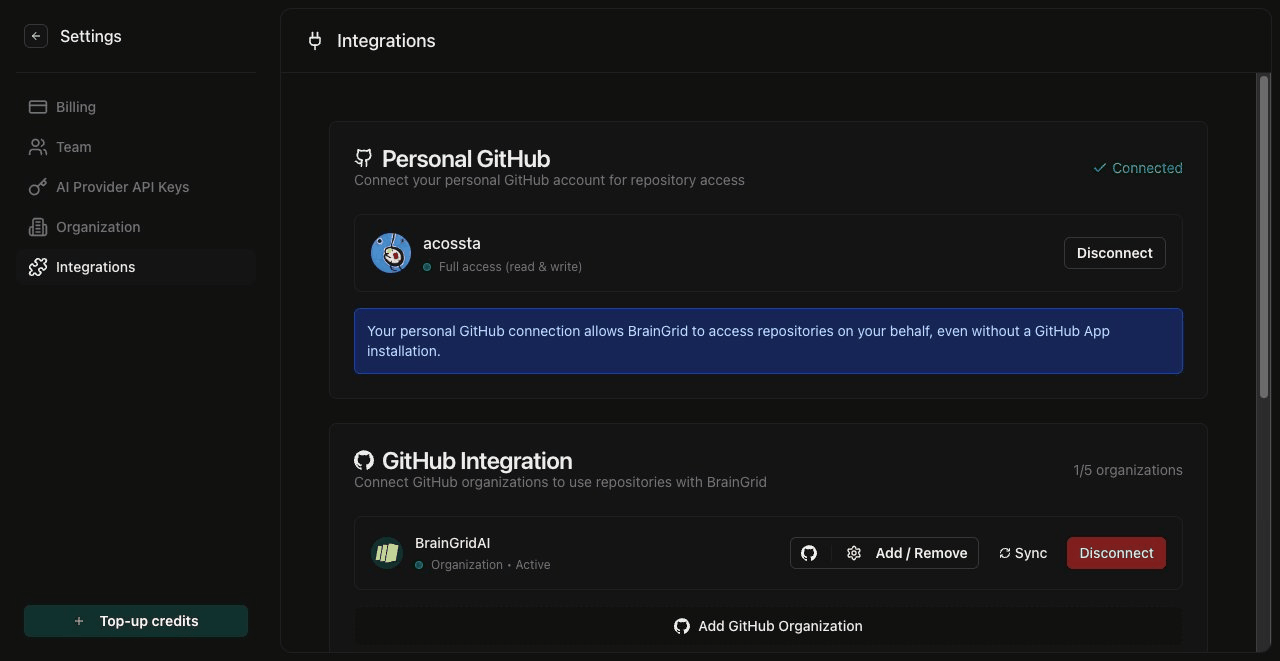
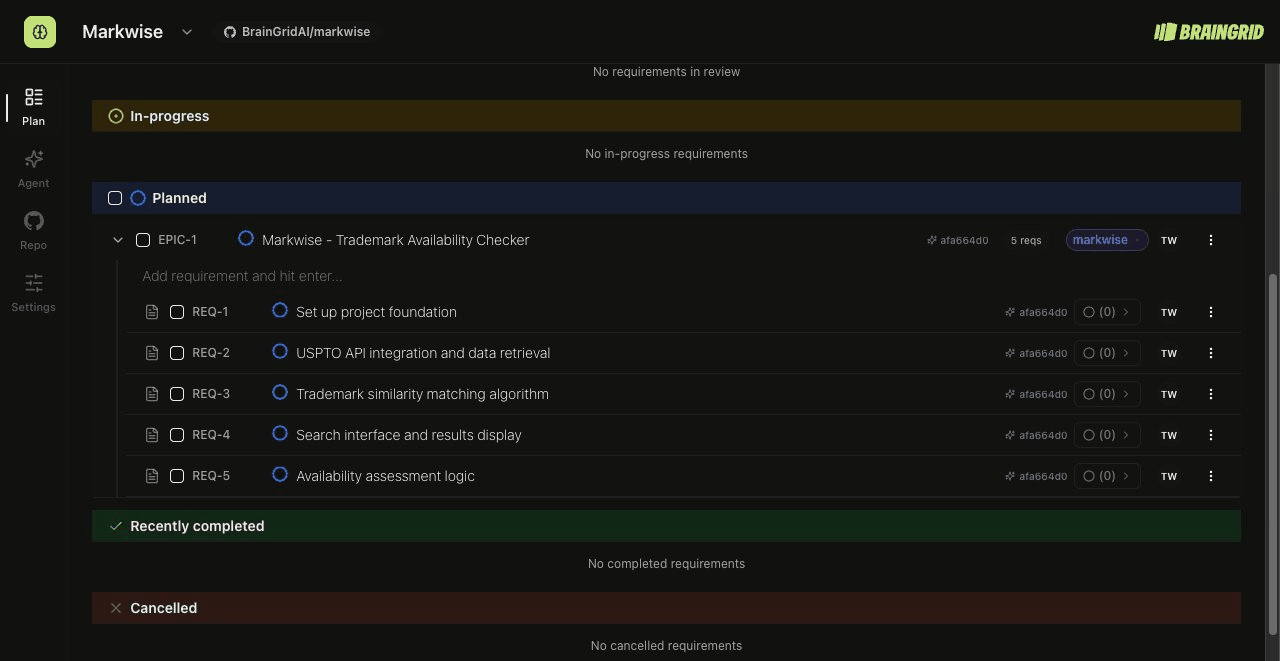
Epic hierarchy - Organize requirements into epics with parent-child relationships:
- Group related requirements under an epic
- Add dependencies between requirements (Requirement A blocks Requirement B)
- View execution order—BrainGrid automatically determines the right order based on dependencies
- Status gates prevent starting blocked requirements until dependencies complete
- Max 20 dependencies per requirement, with warnings if requirements would block each other in a loop
Requirements filter bar - Find requirements faster with new filter dropdowns:
- Filter by status (Planned, In Progress, Review, etc.)
- Filter by assignee
- Filter by tags
- Search by title or description
- Filters persist in URL—bookmark filtered views or share with teammates

Clarifying questions redesign - The survey experience got a major upgrade:
- Click any option label to add inline clarifications
- Agent messages now display formatted text properly (headings, tables, code, and quotes)
- Auto-scrolls to bottom when the agent starts thinking
- Cleaner checkbox and multiple-choice styling
Paste images anywhere - Cmd+V (Mac) or Ctrl+V (Windows/Linux) now works in both the agent chat and requirement forms. Paste screenshots directly from your clipboard—no more saving files first.
CLI: Tag management - Manage requirement tags from the command line:
CLI: API token authentication - Use
BRAINGRID_API_TOKEN environment variable for CI/CD pipelines and sandbox environments. No interactive OAuth needed.Improvements
- Refined dark mode - New dark palette with deeper blacks, cleaner whites, and subtler borders. The agent chat, sidebar, and cards all feel more cohesive.
- Unified Plan view - Ideas tab is gone. Ideas now live in the main Plan tab alongside your other requirements.
- More reliable AI responses - Agent tools are now more robust, so you’ll see fewer errors and retries.
- Onboarding simplified - After completing onboarding, you go straight to the project agent instead of creating a requirement first.
- Settings navigation - Dropdown now shows Billing, Team, API Keys, Organization, and Integrations directly instead of a generic “Settings” link.
- Smarter context detection - The agent knows whether you have an epic or requirement selected and uses the right tools automatically.
- Inline requirement creation - Create requirements directly in the Plan view with keyboard navigation (Tab, Enter, Escape).
- Smarter breakdown button - The “Breakdown into tasks” button only shows when the agent has task creation capabilities.
Fixes
- Branch selection in documents - Code analysis documents now correctly show content from your selected branch, not just the latest analyzed revision.
- File attachments in epics - File uploads now work in epic workflow chats, not just requirement chats.
- Image upload limit - Images over 5MB are rejected before upload with a clear error message (Anthropic API limit).
- Organization name validation - Fixed false “name unavailable” error when saving an organization name that was already yours.
- User initials in chat - Your messages now show your actual initials instead of “U”.
- Tool call recovery - When something goes wrong with agent tools, you now see a helpful error message instead of a generic failure.